

Website traffic data reveals how many visitors your competitors get and whether your content drives results. This is the #1 question we get from clients.
Everyone wants to know: “Is my site growing?” and “What are my competitors doing that I’m not?”
However, unless you own the site and have Google Analytics installed, that data is hidden. That’s where website traffic checkers come in.
What is a website traffic checker?
A website traffic checker estimates how many visitors a website gets each month. It shows traffic sources (organic, social, or paid), top-performing pages, and geographic data.
For your own site, tools like Google Analytics track every visitor with 100% accuracy. For competitor sites, tools like SEMrush and Ahrefs use clickstream data and algorithms to estimate traffic.
Once you understand your current traffic baseline, the next question is growth. If your numbers reveal an urgent need for more volume, you can explore traffic masters while implementing longer-term growth strategies.
Why you need a website traffic checker
- Benchmark your growth
You can’t improve what you don’t measure. Tracking monthly visitors shows if your content, SEO, and marketing efforts work. Is traffic up 20% this quarter? Or flat? The data tells the story.
- Spy on competitor strategies
Traffic checkers reveal competitor top pages, traffic sources, and monthly visitor counts. If a competitor gets a sudden traffic spike, you can investigate what they did and learn from it.
- Identify traffic sources and opportunities
Are most visitors finding you through Google or via buying website traffic? Social media? Referral links? Knowing your traffic sources helps you double down on what works. For example, if 80% of your traffic comes from organic search, SEO is your growth engine.
- Make data-driven marketing decisions
Traffic data answers whether you should invest in SEO, paid ads, or content marketing. If competitors get 500,000 monthly visitors from organic search, that’s proof SEO works in your niche.
In your search for effective tools, consider exploring top rated semrush alternatives for 2025. These tools often provide comprehensive analytics tailored to your unique business needs. As a result, finding the right fit can significantly boost your visibility and organic traffic.
What you’ll learn in this guide
We spent 40+ hours testing 11 website traffic checker tools on 100+ websites. You’ll learn:
- Which tools provide the most accurate traffic estimates (and which ones are unreliable)
- Free options vs. paid tools (and when each makes sense)
- How to check any website’s traffic step-by-step
- How traffic checkers actually work (and why estimates vary)
- Exactly which tool to choose based on your budget, experience level, and needs
This guide helps bloggers checking their own growth, marketers analyzing competitors, and agencies reporting to clients pick the right tool.
Let’s start with a quick comparison, then dive into detailed reviews.
Traffic checkers reveal gaps—but filling those gaps organically takes time. Smart site owners use a mix of paid and organic sources to hit revenue targets while SEO catches up.
Website traffic checker tools: quick comparison
Here’s a snapshot of the 11 tools we tested. Use this to quickly find the right fit, then read the full reviews below for details.
| Tool | Best For | Free Option? | Starting Price | Key Feature | Accuracy Rating |
|---|---|---|---|---|---|
| SEMrush | All-in-one SEO | 10 free searches | $139.95/mo | Competitive intel | 9/10 |
| Ahrefs | Backlink analysis | No | $129/mo | Site Explorer | 9/10 |
| Similarweb | Market research | Limited free | $125/mo | Industry benchmarks | 8/10 |
| Google Analytics 4 | Your own site | Yes (100% free) | Free | Real-time data | 10/10 (own site) |
| Ubersuggest | Budget-friendly | Limited free | $29/mo | Keyword + traffic | 7/10 |
| SE Ranking | Agencies | 14-day trial | $55/mo | White-label reports | 8/10 |
| Serpstat | Budget all-in-one | Limited free | $59/mo | Keyword clustering | 7/10 |
| Moz Pro | Domain authority | 30-day trial | $99/mo | Link analysis | 8/10 |
| SpyFu | PPC competitor data | Limited free | $39/mo | Ad history | 7/10 |
| Google Search Console | Your own site | Yes (100% free) | Free | Search performance | 10/10 (own site) |
| SimilarWeb Extension | Quick checks | Yes (free) | Free | Browser extension | 6/10 |
Quick takeaway: For your own site, use Google Analytics (free, 100% accurate). For competitor analysis, SEMrush and Ahrefs are the most accurate but pricey. Ubersuggest is the best budget option at $29/month.
Now let’s break down each tool in detail.
The 11 best website traffic checker tools
1. SEMrush – the all-in-one SEO powerhouse
SEMrush is the industry-standard tool for SEO professionals and digital marketers. It started as a keyword research tool but evolved into a complete SEO suite. Over 10 million users rely on SEMrush for competitive intelligence, traffic analysis, keyword research, and site audits.
If you only pick one paid SEO tool, SEMrush is the safest bet. It does everything well.
Best for: Agencies, in-house marketers, SEO pros who need competitor intelligence and traffic data in one place.
Key features for traffic checking
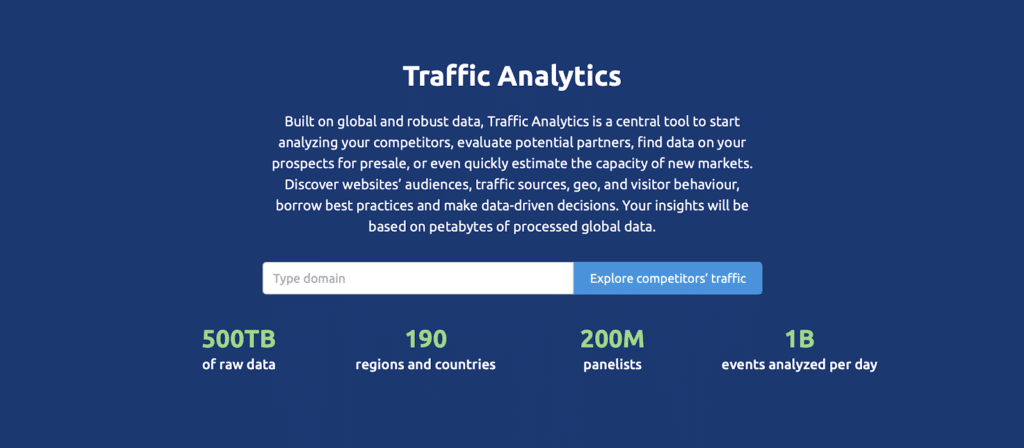
SEMrush’s Traffic Analytics module is where the magic happens. Enter any domain and you’ll see estimated monthly visits from all sources. You’ll also see unique visitors and a detailed traffic sources breakdown.
The tool reveals your top pages by traffic and traffic trends over 6-24 months. Geographic data shows where visitors come from by country and city.
You’ll see device splits (desktop vs. mobile vs. tablet) and engagement metrics like bounce rate. The competitor comparison feature lets you compare up to 4 domains side-by-side.
SEMrush also includes Organic Research and Advertising Research tools. These show which keywords drive traffic and how much competitors spend on Google Ads.
How accurate is SEMrush?
SEMrush’s traffic estimates were within 10-15% of actual traffic for mid-to-high traffic sites in our testing. For sites with 50,000+ monthly visitors, accuracy is strong. For smaller sites, expect 20-40% variance. SEMrush uses clickstream data from millions of devices to estimate traffic.
Pricing
The free tier gives you 10 searches per day with limited data. The Pro plan costs $139.95/month and includes 5 projects, 500 keywords, and full traffic analytics. The Guru plan runs $249.95/month with more projects and historical data. The Business plan costs $499.95/month with agency features and API access.
A free 7-day trial is available. Most solo marketers and small agencies find the Pro plan sufficient.
Pros
Most complete all-in-one tool (traffic, keywords, backlinks, audits, rank tracking). Very accurate traffic estimates for high-traffic sites. Excellent competitor comparison features. Historical data going back 2+ years. Great for discovering competitor keyword strategies.
Cons
Expensive for beginners ($139.95/month is steep). Learning curve due to many features. Traffic estimates less accurate for low-traffic sites. Data updates monthly, not real-time.
Who it’s best for
SEMrush is ideal for SEO professionals, digital marketing agencies, and in-house marketing teams. It works well for anyone managing multiple client sites. If you’re building a business around SEO and content marketing, the $139/month pays for itself quickly.
Not ideal for: Casual bloggers or solopreneurs on a tight budget. For occasional competitor checks, the free SimilarWeb extension or Ubersuggest makes more sense.
How to check website traffic with SEMrush
- Sign up at semrush.com (7-day free trial available)
- Enter the domain you want to analyze in the search bar
- Click Traffic Analytics in the left sidebar
- View estimated visits, traffic sources, top pages, and engagement metrics
- Use the Compare feature to benchmark against competitors
2. Ahrefs – best for backlink & competitor analysis
Ahrefs is SEMrush’s biggest competitor. While SEMrush tries to do everything, Ahrefs focuses on backlinks and organic search. Many SEO pros prefer Ahrefs for its cleaner interface and stronger backlink data.
Ahrefs crawls 8 billion web pages every day. This gives it one of the largest link indexes in the world. That data powers its traffic estimates.
Best for: SEO professionals focused on link building, content marketers, anyone doing serious competitor research.
Key features for traffic checking
Ahrefs’ Site Explorer is the main traffic analysis tool. Enter a domain and you’ll see estimated organic traffic from Google. Ahrefs focuses heavily on organic search data.
You’ll see organic keywords with search volumes and ranking positions. The tool shows competitor top pages ranked by traffic.
Traffic value calculates how much that traffic would cost in Google Ads. This is useful for ROI calculations. Referring domains show who links to the site—more backlinks usually means more traffic.
Content gap analysis reveals keywords competitors rank for that you don’t. Historical traffic trends show growth or decline over time. Ahrefs also has a Content Explorer tool showing popular content based on social shares and backlinks.
How accurate is Ahrefs?
Ahrefs traffic estimates are very accurate for organic search (within 10-20% for most sites). However, Ahrefs focuses primarily on organic traffic from Google. It doesn’t estimate paid, social, or direct traffic as thoroughly as SEMrush or Similarweb.
If your main concern is organic search traffic, Ahrefs is excellent. For a complete picture including paid and social, pair it with another tool or use SEMrush.
Pricing
There’s no free plan. Ahrefs Webmaster Tools is free but only for your own site. The Lite plan costs $129/month (1 user, 5 projects). The Standard plan runs $249/month (3 users, more projects). The Advanced plan costs $449/month (5 users, for agencies).
Ahrefs has a 7-day trial for $7. This provides limited access but enough to test it out.
Pros
Top-tier backlink data (more accurate than SEMrush for link analysis). Clean, intuitive interface. Excellent organic keyword research. Content Explorer finds high-performing content ideas. Fast updates—Ahrefs re-crawls popular sites multiple times per day.
Cons
Expensive ($129/month minimum). No free plan (even the trial costs $7). Focuses mainly on organic search. Fewer all-in-one features compared to SEMrush.
Who it’s best for
Ahrefs is perfect for SEO professionals and content marketers who prioritize organic search and link building. For competitor research to find content gaps and backlink opportunities, Ahrefs is the best tool.
Not ideal for: Beginners on a budget, or marketers needing full traffic breakdowns including paid and social. For a more complete traffic picture, SEMrush or Similarweb works better.
How to check website traffic with Ahrefs
- Sign up at ahrefs.com (7-day trial for $7)
- Go to Site Explorer
- Enter the domain you want to analyze
- View Organic traffic, Top pages, and Organic keywords
- Use Content Gap to find keywords competitors rank for that you don’t
3. Similarweb – best for market intelligence & industry benchmarking
Similarweb is the go-to tool for market research and competitive intelligence. Unlike SEMrush and Ahrefs (which focus on SEO), Similarweb focuses on understanding entire markets and audience behavior.
Use Similarweb to compare your traffic against industry averages. It helps identify market leaders and shows where your audience goes after visiting your site.
Best for: Market researchers, product managers, investors, ecommerce brands analyzing the competitive environment.
Key features for traffic checking
Similarweb’s Website Analysis tool provides total monthly visits from all sources. It shows a detailed traffic sources breakdown with percentages for organic, direct, referral, social, paid, and email traffic.
Audience interests reveal what else your audience cares about. You’ll see other sites they visit and topics they search for. Audience demographics provide modeled data for age, gender, and income level.
Geography shows top countries sending traffic. Referral traffic details show which sites send visitors to you. The tool breaks down search traffic into organic vs. paid splits and social traffic by platform.
Similarweb shows display advertising details and audience overlap. Audience overlap identifies sites with similar audiences—great for partnership ideas.
Industry Analysis and Market Research tools show how your traffic compares to competitors and industry benchmarks.
How accurate is Similarweb?
Similarweb is accurate for high-traffic sites (500,000+ monthly visitors). For smaller sites, accuracy drops significantly. Expect 15-30% variance for mid-sized sites and 50%+ for low-traffic sites.
Similarweb uses panel data from millions of opted-in users and ISP partnerships. Its strength is breadth (understanding entire markets), not precision (exact traffic counts).
Pricing
The free version provides limited data (basic traffic estimates, top 5 traffic sources). The Starter plan begins around $125/month. Exact pricing varies by use case and often requires a sales call. Professional and Enterprise plans have custom pricing in the thousands per month.
The free version gives you a taste, but serious users need a paid plan.
Pros
Top tool for understanding entire markets and industries. Excellent audience insights (demographics, interests, behavior). Great for ecommerce and B2C brands. Useful for finding partnership opportunities. Historical data going back years.
Cons
Expensive (starts at $125/month and goes up quickly). Less accurate for small sites. Pricing is opaque and requires sales calls. Overkill for most bloggers and small businesses.
Who it’s best for
Similarweb is ideal for market researchers, product managers, ecommerce brands, and investors. Use it when you need to understand competitive environments and audience behavior. For launching a product, Similarweb shows who dominates your market.
Not ideal for: Small businesses, bloggers, or solo marketers who need traffic estimates. SEMrush or Ubersuggest provides better value for most users.
How to check website traffic with Similarweb
- Go to similarweb.com
- Enter a domain in the search bar
- View Total visits, Traffic sources, Geography, and Audience interests
- For deeper analysis, sign up for a paid plan
4. Google Analytics 4 – free traffic tracking for your own site
Google Analytics (GA4) is the gold standard for tracking your own website’s traffic. It’s 100% free, 100% accurate, and used by millions of websites worldwide.
Unlike other tools on this list, Google Analytics only works for sites you own. You install a tracking code on your website, and Google Analytics records every visit in real-time.
Best for: Anyone who wants accurate, real-time traffic data for their own site.
Key features for traffic checking
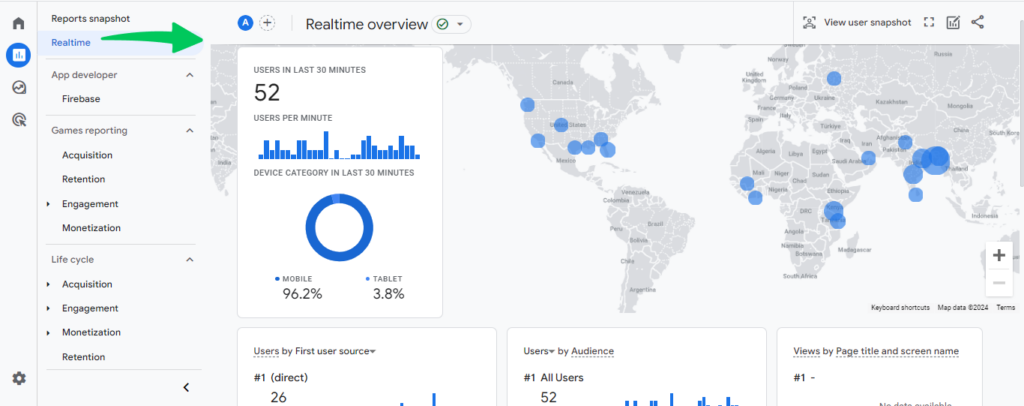
Google Analytics tracks real-time visitors on your site right now. It tracks total sessions (number of visits) and users (unique visitors identified via cookies).
You’ll see pageviews and traffic sources (organic search, social media, direct, referral, email, paid ads). Landing pages show which pages visitors land on first.
The tool calculates bounce rate and session duration. Demographics include age, gender, and location when you enable Google Signals.
You can track device type and set up conversion tracking for signups, purchases, and downloads.
GA4 integrates with Google Search Console and Google Ads. This shows which search queries drive traffic and tracks ad performance.
How accurate is Google Analytics?
100% accurate for your own site. Google Analytics tracks actual visits, not estimates. Every click, pageview, and visitor is recorded.
Pricing
Completely free. Google makes money from Google Ads, so they give away Analytics to encourage advertising.
Pros
Free forever. 100% accurate with real data. Real-time tracking. Deep insights including demographics and conversion tracking. Integrates with Google Ads and Search Console. Industry standard that most marketers know.
Cons
Only works for your own site. Requires installation of a tracking code. GA4 has a steep learning curve. Privacy concerns require GDPR and cookie consent notifications.
Who it’s best for
Everyone with a website should use Google Analytics. It’s free, powerful, and essential for understanding your audience.
Not useful for: Competitor analysis (you can’t track sites you don’t own).
How to set up Google Analytics
- Go to analytics.google.com and sign up
- Create a property for your website
- Install the GA4 tracking code on your site (copy/paste into your site’s HTML or use a plugin if you’re on WordPress)
- Wait 24-48 hours for data to populate
- Explore reports (Acquisition, Engagement, Demographics)
5. Ubersuggest – budget-friendly traffic & keyword tool
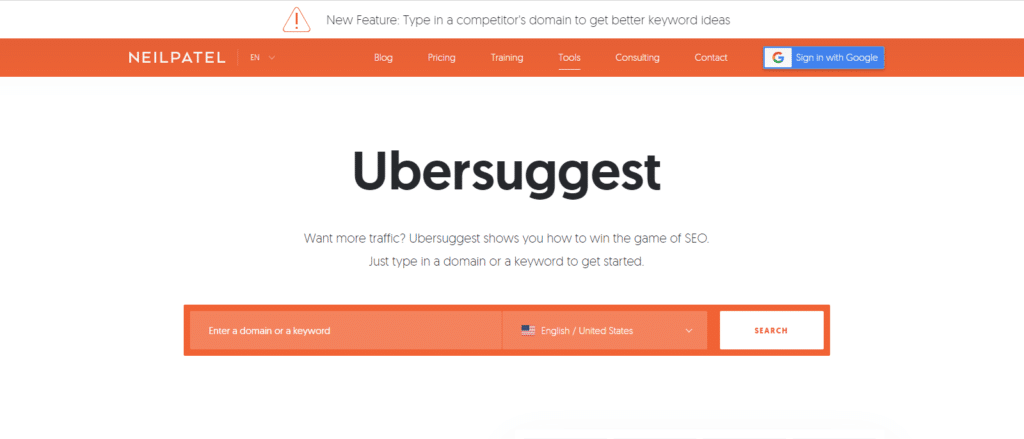
Ubersuggest is Neil Patel’s answer to expensive SEO tools. It’s a simplified, affordable alternative to SEMrush and Ahrefs. For $29/month, you get traffic estimates, keyword research, backlink analysis, and site audits.
Ubersuggest won’t replace SEMrush for serious SEO pros. However, it’s perfect for small businesses and bloggers who want reliable data without breaking the bank.
Best for: Beginners, bloggers, small business owners on a budget.
Key features for traffic checking
Ubersuggest’s Domain Overview shows estimated monthly organic traffic. You’ll see top organic keywords driving traffic and traffic value (how much that traffic would cost in Google Ads).
Domain score rates overall SEO health on a 0-100 scale. Backlinks count shows sites linking to you. Top pages are ranked by traffic.
Ubersuggest also includes keyword research, content ideas, and an SEO analyzer for technical audits.
How accurate is Ubersuggest?
Decent but not as accurate as SEMrush or Ahrefs. Expect 20-40% variance for most sites. Ubersuggest is fine for identifying trends and comparing competitors, but don’t rely on it for exact numbers.
Pricing
The free tier allows 3 searches per day. The Individual plan costs $29/month (1 user, 1 website). The Business plan runs $49/month (3 users, 3 websites). The Enterprise plan costs $99/month (5 users, 5 websites).
Lifetime plans are also available. Ubersuggest frequently runs sales, so watch for discounts.
Pros
Affordable at $29/month—half the cost of SEMrush or Ahrefs. Easy to use with a simpler interface. Includes keyword research, backlink checker, and site audits. Good for small businesses and bloggers. Lifetime plans available.