

Ever wonder how much traffic your competitors get? Or whether your latest blog post actually drove visitors?
You’re not alone. Understanding website traffic is the #1 question we get from clients. Everyone wants to know: “Is my site growing?” and “What are my competitors doing that I’m not?”
The answer lives in website traffic data. But unless you own the site and have Google Analytics installed, that data is hidden.
That’s where website traffic checkers come in.
What is a website traffic checker?
A website traffic checker is a tool that estimates how many visitors a website gets each month. It shows you traffic sources (organic, social or if they are buying traffic), top-performing pages, and geographic data.
For your own site, tools like Google Analytics track every visitor with 100% accuracy. For competitor sites, tools like SEMrush and Ahrefs use clickstream data and algorithms to estimate traffic.
Once you understand your current traffic baseline, the next question is growth. If your numbers reveal an urgent need for more volume, you can explore traffic masters while implementing longer-term growth strategies.
Why you need a website traffic checker
- Benchmark your growth
You can’t improve what you don’t measure. Tracking your monthly visitors helps you see if your content, SEO, and marketing efforts are working. Is traffic up 20% this quarter? Or flat? The data tells the story.
- Spy on competitor strategies
Want to know how your competitors get traffic? A traffic checker reveals their top pages, traffic sources, and monthly visitor counts. If a competitor suddenly gets a traffic spike, you can investigate what they did and learn from it.
- Identify traffic sources and opportunities
Are most visitors finding you through Google? Social media? Referral links? Knowing your traffic sources helps you double down on what works and fix what doesn’t. If 80% of your traffic comes from organic search, you know SEO is your growth engine.
- Make data-driven marketing decisions
Should you invest in SEO? Paid ads? Content marketing? Traffic data answers these questions. If competitors get 500,000 monthly visitors from organic search, that’s proof SEO works in your niche.
What you’ll learn in this guide
We spent 40+ hours testing 11 website traffic checker tools on 100+ websites to give you accurate, real-world insights. You’ll learn:
- Which tools provide the most accurate traffic estimates (and which ones are unreliable)
- Free options vs. paid tools (and when each makes sense)
- How to check any website’s traffic step-by-step
- How traffic checkers actually work (and why estimates vary)
- Exactly which tool to choose based on your budget, experience level, and needs
Whether you’re a blogger checking your own growth, a marketer analyzing competitors, or an agency reporting to clients, this guide will help you pick the right tool.
Let’s start with a quick comparison, then dive into detailed reviews.
Traffic checkers reveal gaps—but filling those gaps organically takes time. Smart site owners use strategies through a mix of paid and organic sources to hit revenue targets while SEO catches up.
Website traffic checker tools: quick comparison
Here’s a snapshot of the 11 tools we tested. Use this to quickly find the right fit, then read the full reviews below for details.
| Tool | Best For | Free Option? | Starting Price | Key Feature | Accuracy Rating |
|---|---|---|---|---|---|
| SEMrush | All-in-one SEO | 10 free searches | $139.95/mo | Competitive intel | 9/10 |
| Ahrefs | Backlink analysis | No | $129/mo | Site Explorer | 9/10 |
| Similarweb | Market research | Limited free | $125/mo | Industry benchmarks | 8/10 |
| Google Analytics 4 | Your own site | Yes (100% free) | Free | Real-time data | 10/10 (own site) |
| Ubersuggest | Budget-friendly | Limited free | $29/mo | Keyword + traffic | 7/10 |
| SE Ranking | Agencies | 14-day trial | $55/mo | White-label reports | 8/10 |
| Serpstat | Budget all-in-one | Limited free | $59/mo | Keyword clustering | 7/10 |
| Moz Pro | Domain authority | 30-day trial | $99/mo | Link analysis | 8/10 |
| SpyFu | PPC competitor data | Limited free | $39/mo | Ad history | 7/10 |
| Google Search Console | Your own site | Yes (100% free) | Free | Search performance | 10/10 (own site) |
| SimilarWeb Extension | Quick checks | Yes (free) | Free | Browser extension | 6/10 |
Quick takeaway: For your own site, use Google Analytics (free, 100% accurate). For competitor analysis, SEMrush and Ahrefs are the most accurate but pricey. Ubersuggest is the best budget option at $29/month.
Now let’s break down each tool in detail.
The 11 best website traffic checker tools
1. SEMrush – the all-in-one SEO powerhouse
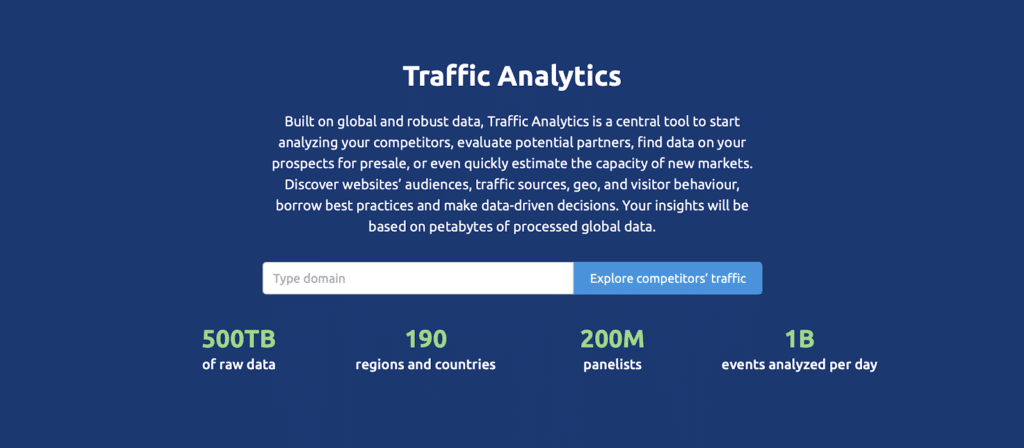
SEMrush is the industry-standard tool for SEO professionals and digital marketers. It started as a keyword research tool but evolved into a complete SEO suite. Over 10 million users rely on SEMrush for competitive intelligence, traffic analysis, keyword research, and site audits.
If you only pick one paid SEO tool, SEMrush is the safest bet. It does everything well.
Best for: Agencies, in-house marketers, SEO pros who need competitor intelligence and traffic data in one place.
Key features for traffic checking
SEMrush’s Traffic Analytics module is where the magic happens. Enter any domain and you’ll see estimated monthly visits (total traffic from organic, paid, direct, referral, and social), unique visitors (how many individual people visit the site), and a detailed traffic sources breakdown showing percentages from organic search, paid ads, social media, referrals, email, and direct visits.
The tool also reveals your top pages by traffic (which pages get the most visitors), traffic trends with historical data showing growth or decline over 6-24 months, and geographic traffic data showing where visitors come from by country and city.
You’ll see device splits (desktop vs. mobile vs. tablet traffic), engagement metrics like pages per visit, average visit duration, and bounce rate, plus competitor comparison features that let you compare up to 4 domains side-by-side.
SEMrush also includes Organic Research and Advertising Research tools that show which keywords drive traffic and how much competitors spend on Google Ads.
How accurate is SEMrush?
In our testing, SEMrush’s traffic estimates were within 10-15% of actual traffic for mid-to-high traffic sites (50,000+ monthly visitors). For smaller sites, expect 20-40% variance. SEMrush uses clickstream data from millions of devices (through partnerships with ISPs and browser extensions) to estimate traffic.
Pricing
The free tier gives you 10 searches per day with limited data. The Pro plan costs $139.95/month and includes 5 projects, 500 keywords, and full traffic analytics. The Guru plan runs $249.95/month with more projects, historical data, and content marketing tools. The Business plan costs $499.95/month and adds agency features, API access, and white-label reports.
A free 7-day trial is available. Most solo marketers and small agencies find the Pro plan sufficient.
Pros
Most complete all-in-one tool (traffic, keywords, backlinks, audits, rank tracking). Very accurate traffic estimates for high-traffic sites. Excellent competitor comparison features. Historical data going back 2+ years. Great for discovering competitor keyword strategies.
Cons
Expensive for beginners or hobbyists ($139.95/month is steep). Learning curve (so many features it can feel overwhelming at first). Traffic estimates less accurate for low-traffic sites (under 10,000 visits/month). Data updates monthly, not real-time.
Who it’s best for
SEMrush is ideal for SEO professionals, digital marketing agencies, in-house marketing teams at mid-to-large companies, and anyone managing multiple client sites. If you’re building a business around SEO and content marketing, the $139/month pays for itself quickly.
Not ideal for: Casual bloggers or solopreneurs on a tight budget. If you just want to peek at competitor traffic occasionally, the free SimilarWeb extension or Ubersuggest’s cheaper plan makes more sense.
How to check website traffic with SEMrush
- Sign up at semrush.com (7-day free trial available)
- Enter the domain you want to analyze in the search bar
- Click Traffic Analytics in the left sidebar
- View estimated visits, traffic sources, top pages, and engagement metrics
- Use the Compare feature to benchmark against competitors

2. Ahrefs – best for backlink & competitor analysis
Ahrefs is SEMrush’s biggest competitor. While SEMrush tries to do everything, Ahrefs focuses on backlinks and organic search. Many SEO pros prefer Ahrefs for its cleaner interface and stronger backlink data.
Ahrefs crawls 8 billion web pages every day, giving it one of the largest link indexes in the world. That data powers its traffic estimates.
Best for: SEO professionals focused on link building, content marketers, anyone doing serious competitor research.
Key features for traffic checking
Ahrefs’ Site Explorer is the main traffic analysis tool. Enter a domain and you’ll see estimated organic traffic (monthly visitors from Google—Ahrefs focuses heavily on organic search), organic keywords showing which keywords drive traffic with search volumes and ranking positions, and your competitor’s top pages ranked by traffic.
The tool calculates traffic value (how much that traffic would cost if you paid for Google Ads, useful for ROI calculations), shows referring domains (who links to the site—more backlinks usually means more traffic), and provides content gap analysis revealing keywords competitors rank for that you don’t.
You can track historical traffic trends to see growth or decline over time. Ahrefs also has a Content Explorer tool that shows the most popular content on any topic based on social shares and backlinks.
How accurate is Ahrefs?
Ahrefs traffic estimates are very accurate for organic search (within 10-20% for most sites). However, Ahrefs focuses primarily on organic traffic from Google. It doesn’t estimate paid, social, or direct traffic as thoroughly as SEMrush or Similarweb.
If your main concern is organic search traffic, Ahrefs is excellent. For a complete picture (including paid and social), pair it with another tool or use SEMrush.
Pricing
There’s no free plan (Ahrefs Webmaster Tools is free but only for your own site). The Lite plan costs $129/month (1 user, 5 projects). The Standard plan runs $249/month (3 users, more projects). The Advanced plan costs $449/month (5 users, agencies).
Ahrefs has a 7-day trial for $7 (limited access but enough to test it out).
Pros
Top-tier backlink data (more accurate than SEMrush for link analysis). Clean, intuitive interface (easier to learn than SEMrush). Excellent organic keyword research. Content Explorer is great for finding high-performing content ideas. Fast updates (Ahrefs re-crawls popular sites multiple times per day).
Cons
Expensive ($129/month minimum). No free plan (even the trial costs $7). Focuses mainly on organic search (doesn’t estimate paid, social, or direct traffic as well). Fewer all-in-one features compared to SEMrush (no PPC research, social media tools, etc.).
Who it’s best for
Ahrefs is perfect for SEO professionals and content marketers who prioritize organic search and link building. If you’re doing competitor research to find content gaps and backlink opportunities, Ahrefs is the best tool.
Not ideal for: Beginners on a budget, or marketers who need full traffic breakdowns (including paid and social). For a more complete traffic picture, SEMrush or Similarweb works better.
How to check website traffic with Ahrefs
- Sign up at ahrefs.com (7-day trial for $7)
- Go to Site Explorer
- Enter the domain you want to analyze
- View Organic traffic, Top pages, and Organic keywords
- Use Content Gap to find keywords competitors rank for that you don’t
3. Similarweb – best for market intelligence & industry benchmarking
Similarweb is the go-to tool for market research and competitive intelligence. Unlike SEMrush and Ahrefs (which focus on SEO), Similarweb focuses on understanding entire markets, industries, and audience behavior.
If you need to compare your traffic against industry averages, identify market leaders, or understand where your audience goes after visiting your site, Similarweb excels.
Best for: Market researchers, product managers, investors, ecommerce brands analyzing the competitive environment.
Key features for traffic checking
Similarweb’s Website Analysis tool provides total monthly visits (estimated traffic from all sources), a detailed traffic sources breakdown showing organic, direct, referral, social, paid, and email traffic with percentages and visit counts, and audience interests revealing what else your audience cares about (other sites they visit, topics they search for).
You’ll see audience demographics with modeled data for age, gender, and income level, geography showing top countries sending traffic, and referral traffic details showing which sites send visitors to you. The tool breaks down search traffic into organic vs. paid search splits and social traffic by platform.
Similarweb also shows display advertising details (which ad networks the site uses) and audience overlap identifying sites with similar audiences (great for partnership ideas).
The platform includes Industry Analysis and Market Research tools that show how your traffic compares to competitors and industry benchmarks.
How accurate is Similarweb?
Similarweb is accurate for high-traffic sites (500,000+ monthly visitors). For smaller sites, accuracy drops significantly. Expect 15-30% variance for mid-sized sites and 50%+ for low-traffic sites.
Similarweb uses panel data (millions of opted-in users) and partnerships with ISPs to estimate traffic. Its strength is breadth (understanding entire markets), not precision (exact traffic counts).
Pricing
The free version on the Similarweb website provides limited data (basic traffic estimates, top 5 traffic sources). The Starter plan begins around $125/month (exact pricing varies by use case; Similarweb often requires a sales call). Professional and Enterprise plans have custom pricing (thousands per month for agencies and large companies).
The free version gives you a taste, but serious users need a paid plan.
Pros
Top tool for understanding entire markets and industries. Excellent audience insights (demographics, interests, behavior). Great for ecommerce and B2C brands (see where customers come from). Useful for finding partnership and affiliate opportunities (audience overlap tool). Historical data going back years.
Cons
Expensive (starts at $125/month and goes up quickly). Less accurate for small sites (under 100,000 visits/month). Pricing is opaque (no clear pricing page; requires sales calls). Overkill for most bloggers and small businesses.
Who it’s best for
Similarweb is ideal for market researchers, product managers, ecommerce brands, and investors who need to understand competitive environments and audience behavior. If you’re launching a product and want to know who dominates your market, Similarweb gives you the full picture.
Not ideal for: Small businesses, bloggers, or solo marketers who just need traffic estimates. SEMrush or Ubersuggest provides better value for most users.
How to check website traffic with Similarweb
- Go to similarweb.com
- Enter a domain in the search bar
- View Total visits, Traffic sources, Geography, and Audience interests
- For deeper analysis, sign up for a paid plan
4. Google Analytics 4 – free traffic tracking for your own site
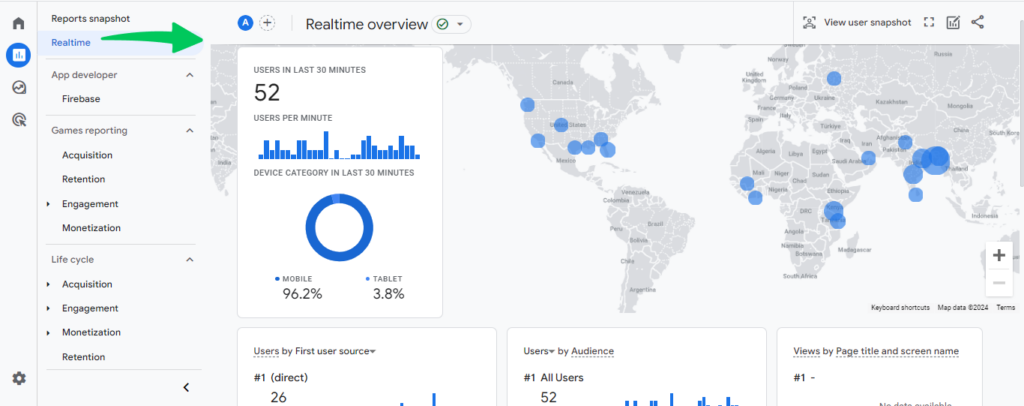
Google Analytics (GA4 is the latest version) is the gold standard for tracking your own website’s traffic. It’s 100% free, 100% accurate, and used by millions of websites worldwide.
Unlike the other tools on this list, Google Analytics only works for sites you own. You install a tracking code on your website, and Google Analytics records every visit in real-time.
Best for: Anyone who wants accurate, real-time traffic data for their own site (bloggers, businesses, ecommerce stores, etc.).
Key features for traffic checking
Google Analytics tracks real-time visitors (see who’s on your site right now), total sessions (number of visits—a session equals one visit from one user), and users (unique visitors identified via cookies so Google can spot returning visitors).
You’ll see pageviews (how many pages visitors viewed), traffic sources showing where visitors came from (organic search, social media, direct, referral, email, paid ads), and landing pages revealing which pages visitors land on first.
The tool calculates bounce rate (percentage of visitors who leave without clicking anything), session duration (how long visitors stay on your site), and demographics including age, gender, and location when you enable Google Signals.
You can track device type (desktop, mobile, tablet) and set up conversions to monitor goals like signups, purchases, and downloads.
GA4 also integrates with Google Search Console (shows which search queries drive traffic) and Google Ads (tracks ad performance).
How accurate is Google Analytics?
100% accurate for your own site. Google Analytics tracks actual visits, not estimates. Every click, pageview, and visitor is recorded.
Pricing
Completely free. Google makes money from Google Ads, so they give away Analytics to encourage businesses to advertise.
Pros
Free forever (no hidden costs). 100% accurate (real data, not estimates). Real-time tracking (see visitors as they browse). Deep insights (demographics, behavior flow, conversion tracking). Integrates with Google Ads and Google Search Console. Industry standard (most marketers know how to use it).
Cons
Only works for your own site (can’t analyze competitors). Requires installation (you need to add a tracking code to your website). Learning curve (GA4 has a steep learning curve if you’re new). Privacy concerns (GDPR and cookie consent laws require you to notify visitors).
Who it’s best for
Everyone with a website should use Google Analytics. It’s free, powerful, and essential for understanding your audience.
Not useful for: Competitor analysis (you can’t track sites you don’t own).
How to set up Google Analytics
- Go to analytics.google.com and sign up
- Create a property for your website
- Install the GA4 tracking code on your site (copy/paste into your site’s HTML or use a plugin if you’re on WordPress)
- Wait 24-48 hours for data to populate
- Explore reports (Acquisition, Engagement, Demographics)
5. Ubersuggest – budget-friendly traffic & keyword tool
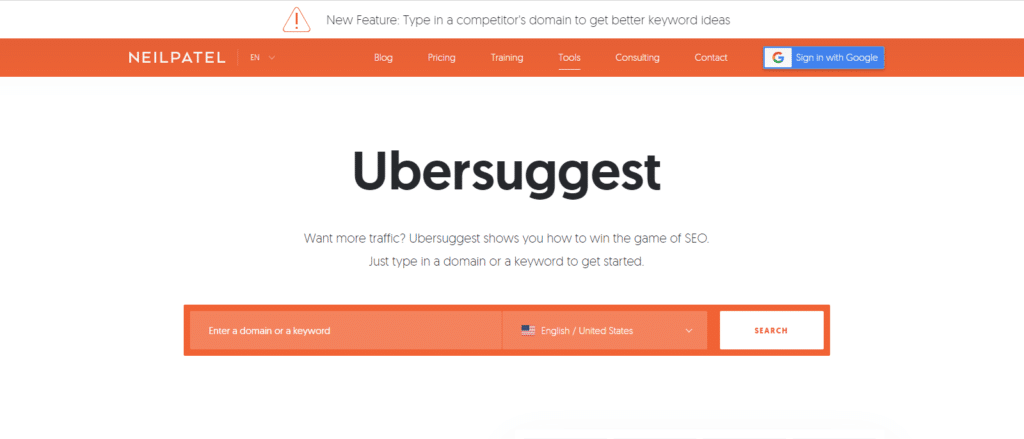
Ubersuggest is Neil Patel’s answer to expensive SEO tools. It’s a simplified, affordable alternative to SEMrush and Ahrefs. For $29/month, you get traffic estimates, keyword research, backlink analysis, and site audits.
Ubersuggest won’t replace SEMrush for serious SEO pros, but it’s perfect for small businesses and bloggers who want reliable data without breaking the bank.
Best for: Beginners, bloggers, small business owners on a budget.
Key features for traffic checking
Ubersuggest’s Domain Overview shows estimated monthly organic traffic (visitors from Google), top organic keywords driving traffic, and traffic value (how much that traffic would cost in Google Ads).
You’ll see a domain score rating overall SEO health (0-100 scale), backlinks count (number of sites linking to you), and top pages ranked by traffic.
Ubersuggest also includes Keyword research, Content ideas (based on top-performing articles), and SEO analyzer (technical SEO audit).
How accurate is Ubersuggest?
Decent but not as accurate as SEMrush or Ahrefs. Expect 20-40% variance for most sites. Ubersuggest is fine for identifying trends and comparing competitors, but don’t rely on it for exact numbers.
Pricing
The free tier allows 3 searches per day (very limited). The Individual plan costs $29/month (1 user, 1 website). The Business plan runs $49/month (3 users, 3 websites). The Enterprise plan costs $99/month (5 users, 5 websites).
Lifetime plans are also available (one-time payment instead of monthly subscription). Ubersuggest frequently runs sales, so watch for discounts.
Pros
Very affordable ($29/month is half the cost of SEMrush or Ahrefs). Easy to use (simpler interface than SEMrush). Includes keyword research, backlink checker, and site audits in one tool. Good for small businesses and bloggers. Lifetime plans available (pay once, use forever).
Cons
Less accurate than premium tools (expect 20-40% variance). Smaller database (fewer keywords and backlinks tracked). Limited historical data (less than 1 year for most sites). Slower updates (data refreshes monthly, not daily like Ahrefs).
Who it’s best for
Ubersuggest is perfect for bloggers, small business owners, and solo marketers who want affordable traffic and keyword data. If you’re just starting with SEO and don’t have $139/month for SEMrush, Ubersuggest is a solid choice.
Not ideal for: Agencies or SEO pros managing multiple clients. The data quality and depth won’t match SEMrush or Ahrefs.
How to check website traffic with Ubersuggest
- Go to neilpatel.com/ubersuggest
- Enter a domain
- View Organic traffic, Top keywords, and Top pages
- Use the Keyword Ideas tool to find traffic opportunities
6. SE Ranking – best for agencies (white-label reports)
SE Ranking is an all-in-one SEO platform designed for agencies. Its standout feature is white-label reporting—you can rebrand SE Ranking reports with your agency’s logo and colors, making it look like your proprietary software.
SE Ranking provides traffic analysis, keyword tracking, competitor research, backlink monitoring, and site audits. It’s cheaper than SEMrush but nearly as capable.
Best for: Digital marketing agencies, white-label SEO services, freelancers managing multiple clients.
Key features for traffic checking
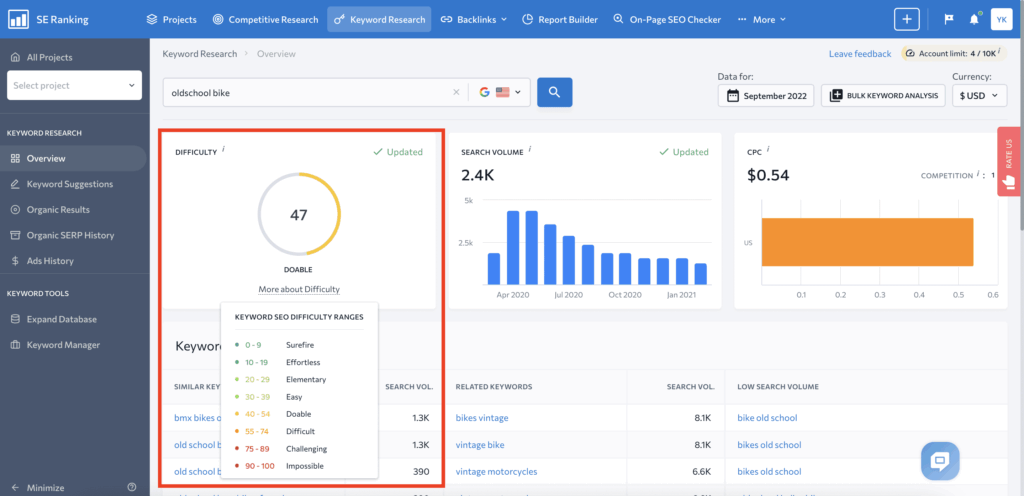
SE Ranking’s Competitive Research tool shows estimated organic traffic (monthly visitors from Google), top organic keywords (which search terms drive traffic), and traffic trends with historical data showing growth or decline.
You can compare up to 5 domains side-by-side with the competitor comparison feature, see traffic sources split between organic vs. paid, and identify top pages with the highest traffic.
SE Ranking also includes Rank Tracker (monitor keyword rankings), Backlink Checker, Website Audit, and Marketing Plan (automated SEO task lists).
How accurate is SE Ranking?
Solid accuracy—comparable to Ubersuggest. Expect 15-30% variance for most sites. SE Ranking isn’t as accurate as SEMrush or Ahrefs, but it’s reliable enough for client reporting and competitor benchmarking.
Pricing
The free 14-day trial provides full access. The Essential plan costs $55/month (1 user, 10 projects, 250 keywords). The Pro plan runs $109/month (3 users, 30 projects, 1,000 keywords). The Business plan costs $239/month (5 users, unlimited projects, 5,000 keywords).
Pricing scales based on how many keywords you want to track. Most agencies start with the Pro plan.
Pros
White-label reports (rebrand with your agency logo). Affordable for agencies (cheaper than SEMrush for multi-client setups). All-in-one tool (traffic, keywords, backlinks, audits, rank tracking). Good customer support (live chat available). Flexible pricing (pay monthly or annually).
Cons
Smaller database than SEMrush or Ahrefs. Learning curve (lots of features to explore). Not as well-known (some clients expect SEMrush or Ahrefs reports).
Who it’s best for
SE Ranking is ideal for agencies and freelancers managing multiple client sites. The white-label reports and affordable pricing make it easy to resell SEO services without paying for expensive per-client licenses.
Not ideal for: Solo marketers or bloggers who don’t need white-label features. Ubersuggest is cheaper for individual use.
How to check website traffic with SE Ranking
- Sign up at seranking.com (14-day free trial)
- Go to Competitive Research
- Enter a domain
- View Organic traffic, Top keywords, and Traffic trends
- Create white-label reports for clients
7. Serpstat – all-in-one SEO on a budget
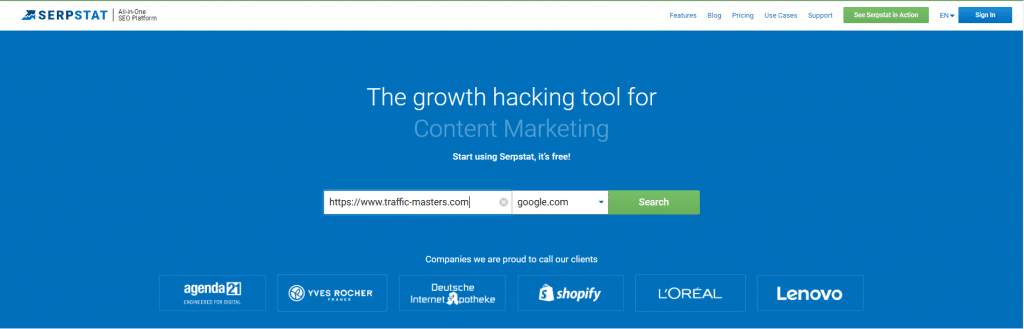
Serpstat is another budget-friendly alternative to SEMrush. It provides traffic analysis, keyword research, rank tracking, backlink analysis, and site audits for less than $60/month.
Serpstat is popular in Europe and among freelancers who want a cheap all-in-one tool. It won’t match SEMrush’s depth, but it covers the basics well.
Best for: Freelancers, small agencies, budget-conscious marketers.
Key features for traffic checking
Serpstat’s Domain Analysis shows estimated organic traffic (monthly visitors from Google), top organic keywords (search terms driving traffic), and traffic cost (value of organic traffic if you paid for ads).
You’ll see competitors (sites ranking for similar keywords), search queries (questions people ask related to your niche), and keyword clustering (groups related keywords—useful for content planning).
Serpstat also includes Rank Tracker, Backlink Analysis, Site Audit, and PPC Analysis (for paid search competitors).
How accurate is Serpstat?
Similar to Ubersuggest—decent but not as accurate as SEMrush or Ahrefs. Expect 20-40% variance. Serpstat’s database is smaller, so less popular sites may have incomplete data.
Pricing
The free tier provides limited searches (5 per day). The Lite plan costs $59/month (1 user, 1 website, 1,000 keywords). The Standard plan runs $119/month (3 users, 5 websites, 5,000 keywords). The Advanced plan costs $479/month (10 users, unlimited websites, 30,000 keywords).
Serpstat often runs discounts (especially for annual plans). Watch for sales.
Pros
Affordable ($59/month for all-in-one SEO). Keyword clustering feature (unique to Serpstat). Decent traffic estimates for the price. Good for freelancers and small agencies.
Cons
Smaller database (fewer keywords and backlinks than SEMrush or Ahrefs). Less accurate traffic estimates (20-40% variance). Clunky interface (not as polished as Ahrefs or Ubersuggest). Limited historical data.
Who it’s best for
Serpstat is good for freelancers and small agencies who want an all-in-one tool but can’t afford SEMrush. It’s also popular among non-English SEOs (Serpstat has strong data for European and Russian markets).
Not ideal for: Serious SEO pros or agencies managing high-value clients. The data gaps and less accurate estimates will frustrate you.
How to check website traffic with Serpstat
- Sign up at serpstat.com (free trial available)
- Go to Domain Analysis
- Enter a domain
- View Organic traffic, Top keywords, and Competitors
8. Moz Pro – best for domain authority & link analysis
Moz is one of the oldest names in SEO. Moz invented Domain Authority (DA), a metric that estimates how well a site will rank on Google. While SEMrush and Ahrefs have surpassed Moz in recent years, Moz Pro is still popular among SEO professionals for link analysis.
Best for: SEO pros who focus on domain authority, backlink analysis, and on-page tuning.
Key features for traffic checking
Moz Pro’s Link Explorer provides Domain Authority (DA)—a score from 0-100 that predicts ranking potential—and Page Authority (PA) showing authority scores for individual pages.
You’ll see linking domains (how many sites link to you), top pages (pages with the most backlinks, which often correlate with traffic), keyword rankings (which keywords the site ranks for), and spam score (how spammy the backlink profile looks).
Moz doesn’t estimate traffic directly like SEMrush or Ahrefs. Instead, you use keyword rankings plus search volumes to infer traffic. For example, if a page ranks #3 for a keyword with 10,000 monthly searches, you can estimate it gets around 1,500 visits per month from that keyword.
How accurate is Moz?
Moz doesn’t provide traffic estimates—it focuses on domain authority and backlinks. To estimate traffic, you need to manually calculate it based on keyword rankings and search volumes. This makes Moz less convenient for traffic analysis compared to SEMrush or Ahrefs.
Pricing
The free tier allows limited searches (10 per month). The Starter plan costs $99/month (1 user, 5 campaigns, 5,000 keyword queries per month). The Standard plan runs $179/month (3 users, 15 campaigns). The Medium plan costs $299/month (5 users, 40 campaigns). The Large plan runs $599/month (10 users, 100 campaigns).
Moz has a 30-day free trial.
Pros
Domain Authority (DA) is an industry-standard metric. Strong backlink analysis. Good for link building campaigns. Includes on-page SEO grader and rank tracking.
Cons
Doesn’t estimate traffic directly (you have to calculate it manually). More expensive than Ubersuggest for similar features. Smaller backlink index than Ahrefs. Less intuitive interface.
Who it’s best for
Moz Pro is ideal for SEO professionals who prioritize domain authority and link building. If you’re running a link building campaign and want to measure progress with DA, Moz is useful.
Not ideal for: Marketers who just want traffic estimates. SEMrush or Ahrefs gives you that data faster.
How to check website traffic with Moz
- Sign up at moz.com (30-day free trial)
- Go to Link Explorer
- Enter a domain
- View Domain Authority, Linking domains, and Top pages
- Check Ranking Keywords to estimate traffic manually (multiply rankings by search volume)
9. SpyFu – best for PPC competitor research
SpyFu specializes in paid search (PPC) competitor research. While most tools on this list focus on organic traffic, SpyFu reveals how much competitors spend on Google Ads, which keywords they bid on, and what ad copy they use.
SpyFu also provides organic traffic estimates, but its real strength is PPC intelligence.
Best for: PPC advertisers, businesses analyzing competitors’ paid search strategies.
Key features for traffic checking
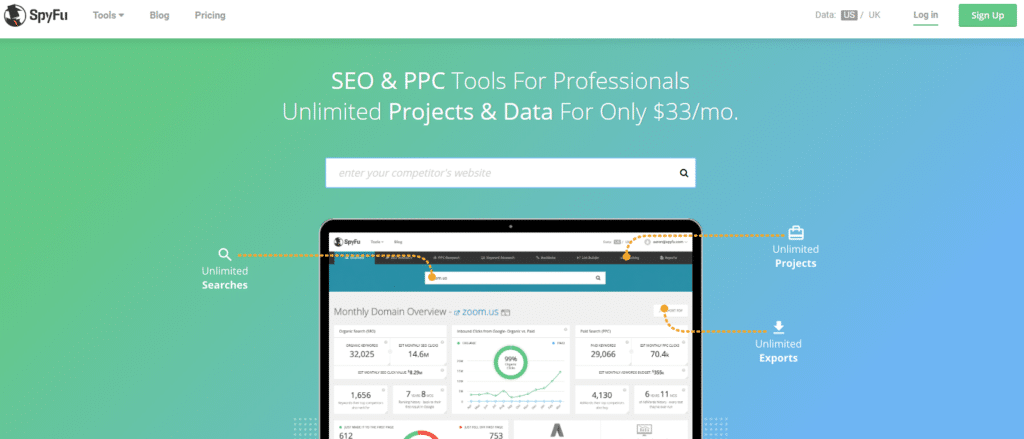
SpyFu’s Domain Overview shows estimated organic traffic (monthly visitors from Google organic search), top organic keywords (keywords driving free traffic), and paid keywords (keywords competitors bid on in Google Ads).
You’ll see monthly ad spend estimates (how much competitors spend on PPC), ad history (view every ad a competitor has run going back 15+ years), and competitor overlap (who competes for the same keywords).
SpyFu also includes Keyword research, SEO Audit, and Rank Tracker.
How accurate is SpyFu?
SpyFu’s organic traffic estimates are decent (comparable to Ubersuggest). Expect 20-40% variance. SpyFu’s real value is in PPC data—it’s more accurate than other tools for paid search intelligence.
Pricing
The free tier allows limited searches (10 per day with basic data). The Basic plan costs $39/month (5,000 keyword searches, unlimited domain searches). The Professional plan runs $79/month (15,000 keyword searches, more competitive analysis). The Team plan costs $299/month (unlimited searches, API access).
SpyFu often runs discounts for annual plans.
Pros
Top tool for PPC competitor research (see ad history, budgets, keywords). Affordable ($39/month is cheaper than SEMrush). Good for finding competitor ad copy and landing pages. Historical ad data going back 15+ years.
Cons
Organic traffic estimates are less accurate than SEMrush or Ahrefs. Clunky interface (not as polished as competitors). Limited features for organic SEO (better for PPC).
Who it’s best for
SpyFu is perfect for PPC advertisers and businesses running Google Ads campaigns. If you want to see what ads competitors are running and how much they’re spending, SpyFu is the best tool.
Not ideal for: Organic SEO-focused marketers. SEMrush or Ahrefs provides better organic traffic analysis.
How to check website traffic with SpyFu
- Go to spyfu.com
- Enter a domain
- View Organic traffic, Paid keywords, and Ad history
- Use Kombat tool to compare your site against competitors
10. Google Search Console – free search traffic insights (your own site)
Google Search Console (GSC) is a free tool from Google that shows how your site performs in Google Search. It tracks which search queries bring traffic to your site, your average ranking position, and technical SEO issues.
Like Google Analytics, GSC only works for sites you own. You verify ownership by adding a code snippet or DNS record.
Best for: Website owners who want to understand how they perform in Google Search (free).
Key features for traffic checking
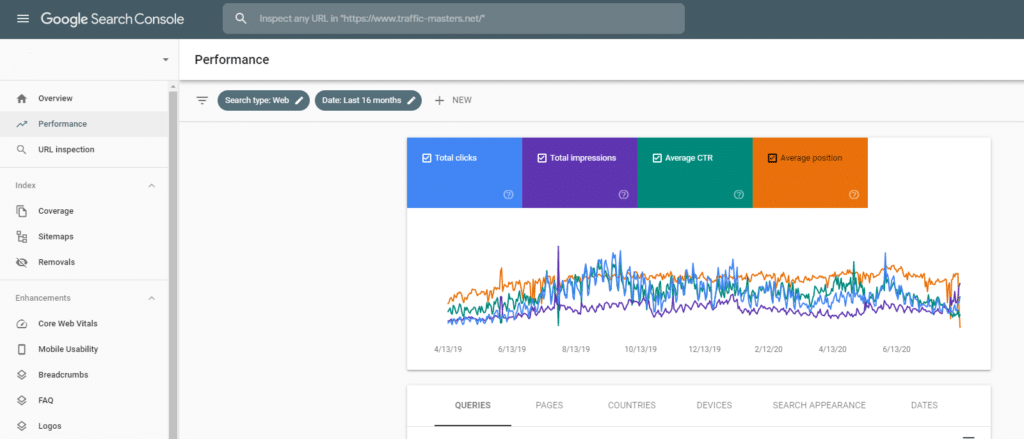
Google Search Console provides search queries (which keywords people use to find your site), impressions (how many times your site appeared in Google results), and clicks (how many people clicked through to your site).
You’ll see click-through rate or CTR (percentage of impressions that turned into clicks), average position (your average ranking for each keyword), and top pages (which pages get the most search traffic).
GSC also identifies coverage issues (broken pages, indexing errors, smart phone traffic usability problems).
The tool alerts you to manual penalties (if Google penalizes your site for spammy tactics) and Core Web Vitals (page speed and user experience metrics).
How accurate is Google Search Console?
100% accurate for search traffic from Google. GSC tracks actual clicks and impressions, not estimates.
However, GSC only shows search traffic (organic Google results). It doesn’t track direct traffic, social media traffic, or referral traffic. For a complete picture, use GSC plus Google Analytics together.
Pricing
Completely free.
Pros
Free forever. 100% accurate (real data from Google). Shows actual search queries driving traffic. Alerts you to technical SEO issues. Essential for monitoring Google rankings.
Cons
Only works for your own site (can’t analyze competitors). Only shows Google search traffic (doesn’t track other sources). Requires site verification (you need to prove you own the site). Data limited to last 16 months.
Who it’s best for
Every website owner should use Google Search Console. It’s free, accurate, and essential for SEO.
Not useful for: Competitor analysis (GSC only works for sites you own).
How to set up Google Search Console
- Go to search.google.com/search-console
- Add your website and verify ownership (via HTML tag, DNS record, or Google Analytics)
- Wait 24-48 hours for data to populate
- Go to Performance report to see search traffic, queries, and rankings

11. SimilarWeb browser extension – quick free traffic estimates
The SimilarWeb browser extension is a free tool that gives you instant traffic estimates for any site you visit. It’s the fastest way to check competitor traffic without signing up for a paid tool.
The extension lives in your Chrome or Firefox toolbar. When you visit a website, click the extension and it shows estimated monthly visits, traffic sources, and top referring sites.
Best for: Quick competitor checks, casual traffic research, anyone who doesn’t need deep analysis.
Key features for traffic checking
The SimilarWeb extension shows estimated monthly visits (total traffic for the past month), global rank (how the site ranks compared to all websites worldwide), and country rank (how it ranks in its primary country).
You’ll see traffic sources with a percentage breakdown (direct, referral, search, social, mail, display ads), top referring sites (which sites send the most traffic), and top destination sites (where visitors go after leaving).
How accurate is the SimilarWeb extension?
The free browser extension is less accurate than paid tools. Expect 30-50% variance for most sites. It’s best for high-traffic sites (100,000+ visits per month). For smaller sites, the data is often incomplete or missing.
Pricing
Completely free. No signup required (though you can create a free account to save favorite sites).
Pros
Completely free (no paid plan required). Fast (instant results when you visit any site). No signup needed (just install and use). Great for quick competitor checks.
Cons
Less accurate than paid tools (30-50% variance). Limited data (only basic metrics, no historical trends). Doesn’t work well for low-traffic sites (under 50,000 visits/month). No detailed reports (just a quick snapshot).
Who it’s best for
The SimilarWeb extension is perfect for casual users, bloggers, and marketers who want to peek at competitor traffic without paying for a tool. It’s also useful as a sanity check alongside paid tools.
Not ideal for: Detailed analysis or low-traffic sites. For accurate data, use SEMrush or Ahrefs.
How to use the SimilarWeb browser extension
- Go to the Chrome Web Store or Firefox Add-ons
- Search for “SimilarWeb” and install the extension
- Visit any website
- Click the SimilarWeb icon in your toolbar
- View instant traffic estimates
How to choose the best website traffic checker for your needs
With 11 tools to choose from, how do you pick the right one? Here’s a decision framework based on your budget, needs, and experience level.
Factor 1: Your budget
Free options include Google Analytics (best for tracking your own site—100% accurate, unlimited), Google Search Console (see which search queries drive your traffic), and the SimilarWeb Extension (quick competitor traffic estimates with limited accuracy).
Budget-friendly options ($30-60/month) include Ubersuggest at $29/mo (traffic estimates, keyword research, site audits), SE Ranking at $55/mo (great for agencies with white-label reports), and Serpstat at $59/mo (all-in-one SEO on a budget).
Mid-tier options ($100-150/month) include SEMrush at $139/mo (best all-in-one tool for traffic, keywords, backlinks, audits), Ahrefs at $129/mo (best for organic search and backlink analysis), Similarweb at $125/mo (best for market research and audience insights), and Moz Pro at $99/mo (best for domain authority tracking).
Enterprise options include SEMrush Business at $499/mo and Similarweb with custom pricing starting around $300/mo.
Factor 2: What you need to track
Just your own site? Use Google Analytics plus Google Search Console (both free, 100% accurate).
Competitor traffic? Use SEMrush, Ahrefs, or Similarweb (paid tools with estimates).
Keyword plus traffic combo? Use SEMrush, Ahrefs, or Ubersuggest (all include keyword research).
PPC competitor data? Use SpyFu or SEMrush (see ad budgets and keywords).
Market research and industry benchmarks? Use Similarweb (audience insights, industry comparisons).
Factor 3: Your experience level
Beginners (new to SEO) should start with Google Analytics (free) for your own site plus Ubersuggest ($29/mo) for competitor research. Ubersuggest has the simplest interface.
Intermediate users (some SEO experience) should upgrade to SEMrush ($139/mo) or Ahrefs ($129/mo). You’ll get more accurate data and deeper insights.
Advanced users (SEO professionals) should use SEMrush or Ahrefs (pick based on whether you prioritize all-in-one features or backlink depth). Consider adding Similarweb for market research.
Agencies (managing multiple clients) should use SE Ranking ($55/mo) for white-label reports or SEMrush Business ($499/mo) for full-service client management.
Factor 4: Data accuracy requirements
For your site, Google Analytics is 100% accurate (real data, not estimates). Always use it for your own site.
For competitor sites, all tools estimate traffic. Accuracy varies. SEMrush and Ahrefs provide ±10-15% accuracy for high-traffic sites (best accuracy). Similarweb provides ±15-30% for high-traffic sites. Ubersuggest, Serpstat, and SpyFu provide ±20-40% variance. Free tools like the SimilarWeb extension provide ±30-50% variance.
Expect a 10-30% margin of error for most competitor traffic estimates. Focus on trends (is traffic growing or declining?) rather than exact numbers.
Factor 5: Additional features you need
If you also need keyword research, backlink analysis, site audits, and rank tracking, choose an all-in-one tool (SEMrush, Ahrefs, SE Ranking, Serpstat).
If you only need traffic data, use Similarweb, Ubersuggest, or the free SimilarWeb extension.
Our recommendation framework
If you’re a blogger or solopreneur: Google Analytics (free) for your site plus Ubersuggest ($29/mo) for competitors.
If you’re a serious SEO pro: SEMrush ($139/mo) or Ahrefs ($129/mo). Pick SEMrush for all-in-one features, Ahrefs for backlinks.
If you’re an agency: SE Ranking ($55/mo) for white-label reporting or SEMrush Business ($499/mo) for enterprise features.
If you just want to peek at competitor traffic occasionally: SimilarWeb browser extension (free, good enough for casual checks).
Free vs paid traffic checkers: which do you need?
One of the most common questions we hear: “Can I check website traffic for free?”
The answer is yes—but with limitations. Here’s what free and paid tools can do.
What free tools can do
Google Analytics is perfect for your site. Install it once and get 100% accurate, real-time traffic data forever. Tracks every visitor, pageview, traffic source, and conversion. Completely free.
Google Search Console shows which search queries drive your traffic (from Google). 100% accurate for your own site. Alerts you to technical SEO issues. Free.
The SimilarWeb Extension provides quick competitor traffic estimates. Install the browser extension, visit any site, and see estimated monthly visits, traffic sources, and top referrals. Limited accuracy (30-50% variance), but fast and free.
Ubersuggest Free Plan allows 3 free searches per day. Enough to check a few competitors occasionally. Data is limited (only basic metrics, no historical trends).
Limitations of free tools
No deep competitor analysis. Free tools give surface-level estimates. You can’t see top pages, historical trends, or detailed traffic sources.
Limited historical data. Free tools show current traffic only. Paid tools show months or years of trends.
Less accurate. Free estimates have 30-50% variance. Paid tools are more accurate (10-20% variance).
No advanced features. Paid tools bundle traffic analysis with keyword research, backlink analysis, and site audits.
What paid tools provide
Unlimited competitor analysis: Check any site, any time. No daily limits.
Historical data: See traffic trends over months or years. Identify growth patterns, traffic spikes, and seasonal trends.
Deeper insights: Traffic sources breakdown (organic, paid, social, referral, direct), top pages by traffic, geographic splits, device types (desktop vs. mobile).
Better accuracy: Paid tools use larger datasets (clickstream data from millions of devices). Expect 10-20% variance vs. 30-50% for free tools.
Additional features: Keyword research, backlink analysis, site audits, rank tracking, and more. Paid tools are all-in-one SEO suites.
The hybrid approach (best for most people)
For most marketers, the sweet spot is Google Analytics (free) for your own site plus one paid tool for competitor research (SEMrush, Ahrefs, or Ubersuggest).
This gives you perfect accuracy for your own site and reliable estimates for competitors.
If budget is tight, start with free tools and upgrade when you regularly hit their limits. The ROI of a paid tool comes from the competitive intelligence and time savings. If you’re making business decisions based on traffic data, the $29-$139/month is usually worth it.
How to check website traffic: step-by-step guide
Wondering how to see how much traffic a website gets? Here’s the simplest way to check any site’s traffic using free and paid tools.
Method 1: Quick check with SimilarWeb extension (free)
This is the fastest way to check competitor traffic without signing up for anything.
Step 1: Install the SimilarWeb browser extension
Go to the Chrome Web Store (or Firefox Add-ons), search for “SimilarWeb,” and click “Add to Browser.” It’s 100% free and takes 10 seconds to install.
Step 2: Visit the website you want to analyze
Go to any site (example: competitor.com).
Step 3: Click the SimilarWeb icon in your toolbar
The extension will show estimated monthly visits, global rank, country rank, traffic sources (direct, referral, search, social, etc.), and top referring sites.
Step 4: Interpret the data
Monthly visits show estimated total visitors. Traffic sources show where visitors come from (organic search, social media, referrals, etc.).
Note: Data is estimated and works best for high-traffic sites (10,000+ visitors/month). For smaller sites, the data may be incomplete.
Pros: Fast, free, no signup required.
Cons: Limited data, estimates only, not accurate for small sites.
Method 2: Deep analysis with SEMrush (paid)
For detailed traffic analysis, use SEMrush. It’s the most accurate paid tool.
Step 1: Sign up for SEMrush
Go to semrush.com and start a 7-day free trial. You can run 10 free searches without a credit card.
Step 2: Enter the domain in the search bar
Type the website URL (example: example.com) and click “Search.”
Step 3: Go to “Traffic Analytics”
In the left sidebar, click “Traffic Analytics.” This shows detailed traffic data.
Step 4: Review the traffic report
You’ll see visits (total monthly visitors), unique visitors (number of individual people), pages per visit (how engaged visitors are), bounce rate (percentage who leave immediately), traffic sources (breakdown of direct, organic, paid, referral, social, email), top pages (which pages get the most traffic), geography (where visitors come from by country and city), and competitors (similar sites and how you compare).
Step 5: Export or save the data
Download as PDF or Excel for reporting.
Pros: Very detailed, accurate, historical data available.
Cons: Paid ($139/month after trial), learning curve.
Method 3: Track your own website (Google Analytics – free)
If you own the website, use Google Analytics for 100% accurate traffic data.
Step 1: Install Google Analytics on your website
Sign up at analytics.google.com, create a property, and add the tracking code to your site. If you use WordPress, install the “Site Kit by Google” plugin to automate this.
Step 2: Wait 24-48 hours for data to populate
Google Analytics needs time to collect visitor data.
Step 3: Log in to analytics.google.com
Go to your Analytics dashboard.
Step 4: View real-time or historical traffic
The Real-time report shows who’s on your site right now. The Acquisition report shows where traffic comes from (organic search, social, direct, etc.). The Engagement report shows which pages get the most views.
Note: Google Analytics only works for sites you own (you need to install a tracking script).
Summary
Quick answer: Use the free SimilarWeb browser extension for a quick competitor check. For detailed analysis, use SEMrush or Ahrefs (paid, but more accurate). For your own site, use Google Analytics (free and 100% accurate).
How accurate are website traffic checkers?
Traffic checkers aren’t perfect. Here’s what you need to know about accuracy and limitations.
How traffic checkers estimate data
For competitor sites, tools can’t access their Google Analytics. Instead, they estimate traffic using several methods.
Clickstream data: Tools like SEMrush and Similarweb partner with ISPs and browser extensions to collect anonymized browsing data from millions of users. When users visit a website, the tool records it (with consent). By analyzing this sample, tools extrapolate total traffic.
Example: If 1% of internet users visit a site 100,000 times in a month, the tool estimates 10 million total visits.
Panel data: Tools run surveys and panels with millions of opted-in users who share their browsing habits. This data helps estimate traffic patterns.
Public data: Some tools use public APIs including Google Search Console (if the site owner shares data publicly), social media APIs (Facebook, Twitter engagement counts), and ad networks (display ad impressions).
Algorithmic modeling: Machine learning algorithms analyze sample data and extrapolate total traffic based on patterns (time of day, device type, geography, etc.).
Accuracy expectations
Your own site (Google Analytics): 100% accurate (actual data, not estimates).
High-traffic sites (1M+ visits/month): ±10-15% accuracy. Large sample sizes make estimates reliable. SEMrush and Ahrefs are very accurate for popular sites.
Medium-traffic sites (10K-1M visits/month): ±20-40% accuracy. Decent sample size, but more variance. Estimates are directionally correct.
Low-traffic sites (<10K visits/month): ±50%+ accuracy. Small sample sizes mean high variance. Estimates are unreliable for niche sites.
Key takeaway: Traffic checkers are best for identifying trends (is traffic growing or declining?) and comparing competitors (who has more traffic?). Don’t rely on them for exact numbers.
Which tools are most accurate?
Based on our testing and industry benchmarks:
- SEMrush: 9/10 (closest to actual data for high-traffic sites; ±10-15% variance)
- Ahrefs: 9/10 (very close, especially for organic search traffic)
- Similarweb: 8/10 (good for high-traffic sites, less accurate for small sites)
- Ubersuggest: 7/10 (decent estimates, but smaller dataset)
- Free tools (browser extensions): 6/10 (ballpark figures only; ±30-50% variance)
Tips for better accuracy
Compare data from 2-3 tools: If SEMrush, Ahrefs, and Similarweb all estimate 100,000-120,000 visits, you can trust the consensus. If estimates vary wildly (50,000 vs. 200,000), treat the data skeptically.
Focus on trends, not absolute numbers: Is traffic growing month-over-month? That’s more important than whether it’s exactly 95,000 or 105,000 visits.
Use tools that show confidence intervals: Some tools (like Similarweb) show data quality scores or confidence ranges. Pay attention to these.
For critical decisions, get first-party data: If you’re making a high-stakes business decision (acquisition, partnership), try to get actual Google Analytics data from the site owner. Estimates aren’t good enough for million-dollar deals.
Website traffic checker FAQs
Can I check website traffic for free?
Yes. For your own site, use Google Analytics (100% free and accurate). For competitor sites, try the SimilarWeb browser extension (free, but limited data) or Ubersuggest (3 free searches per day). These give basic traffic estimates. For deeper analysis, paid tools like SEMrush ($139/month) or Ahrefs ($129/month) provide more accurate data, historical trends, and traffic sources.
What is the most accurate website traffic checker?
For your site: Google Analytics (100% accurate, actual data).
For competitor sites: SEMrush and Ahrefs are the most accurate (±10-15% variance for high-traffic sites). They use clickstream data from millions of devices. Similarweb is also reliable. Free tools are less accurate (±50%+). No tool is perfect for competitors since they estimate data, but SEMrush and Ahrefs have the largest datasets.
How do website traffic checkers work?
They estimate traffic using clickstream data (partnerships with ISPs and browser extensions collect anonymized browsing data from millions of users), panel data (millions of opted-in users share their browsing habits), public APIs (Google Search Console if shared, social media data), and machine learning (algorithms extrapolate from sample data to estimate total traffic).
For your own site, install Google Analytics for 100% accurate tracking.
Can I see my competitors’ website traffic?
Yes, using tools like SEMrush, Ahrefs, or Similarweb. These tools estimate competitor traffic based on clickstream data and algorithms. The data won’t be 100% accurate (expect ±20-40% margin of error), but it’s good enough to identify trends, compare market share, and spot traffic spikes. Free options (SimilarWeb extension) give basic estimates.
Is it legal to check competitor website traffic?
Yes, it’s completely legal. Traffic checker tools use publicly available data, anonymized clickstream data (with user consent), and algorithmic estimates. You’re not hacking or accessing private databases. You’re using third-party estimates based on aggregated browsing patterns. Tools like SEMrush and Ahrefs comply with GDPR and privacy laws.
What’s the difference between Google Analytics and SEMrush?
Google Analytics tracks your site only. 100% accurate. Free. Requires installation on your site.
SEMrush analyzes any site (yours and competitors). Estimates traffic. Paid ($139/month). No installation needed.
Use Google Analytics for your site and SEMrush/Ahrefs to spy on competitors.
How often should I check my website traffic?
For your site: Check Google Analytics weekly (or daily if running campaigns). Regular monitoring helps you catch issues fast (traffic drops, broken pages).
For competitor analysis: Monthly or quarterly is enough unless tracking a specific campaign. Traffic data from tools like SEMrush updates monthly, so checking more often won’t give new data.
Can traffic checkers show real-time traffic?
Only Google Analytics shows real-time traffic (for your own site). Tools like SEMrush, Ahrefs, and Similarweb show estimated monthly traffic with a 1-2 month delay (for example, in February, you’ll see December or January data). Real-time competitor tracking isn’t available in any tool.
Do I need a paid tool if I have Google Analytics?
Google Analytics is perfect for your site, but it can’t analyze competitors. If you need to see competitor traffic, identify competitor keywords, compare your traffic to rivals, or find backlink opportunities, then yes, a paid tool (SEMrush, Ahrefs, Ubersuggest) is worth it.
For solo bloggers focused only on their own growth, Google Analytics plus Google Search Console (both free) may be enough.
Which website traffic checker is best for small businesses?
Best budget option: Ubersuggest ($29/month) – Simple, affordable, includes traffic plus keyword research.
Best free option: Google Analytics (your site) plus SimilarWeb extension (competitors).
Best all-in-one (if budget allows): SEMrush ($139/month) – Includes traffic analysis, keyword research, site audits, and competitor intel.
Final thoughts: choosing the right website traffic checker
Website traffic checkers are essential for understanding your site’s performance and outpacing competitors. Whether you’re a blogger checking your growth, a marketer spying on rivals, or an agency reporting to clients, there’s a tool for every need and budget.
Our top picks
Best overall: SEMrush ($139/month) – All-in-one tool with the most accurate competitor data, keyword research, backlinks, and site audits.
Best for budget: Ubersuggest ($29/month) – Affordable traffic estimates, keyword research, and site audits.
Best free option: Google Analytics (your site) plus SimilarWeb extension (competitors).
Best for agencies: SE Ranking ($55/month) – White-label reports and client management tools.
Best for backlinks: Ahrefs ($129/month) – Strongest backlink data and organic search analysis.
Best for PPC research: SpyFu ($39/month) – See competitor ad budgets and keywords.
Action steps
Turn Insights Into Action You’ve analyzed your traffic. Now grow it. Traffic Masters packages deliver measurable, trackable visitors that show up in the same analytics tools you’re already monitoring.
Ready to start tracking traffic?
- For your own site: Install Google Analytics today (free, 100% accurate)
- To check competitors: Try SEMrush’s 7-day free trial or use the SimilarWeb browser extension (free)
- Before committing to a paid plan: Compare 2-3 tools to see which interface and features you prefer
The right tool depends on your budget, experience level, and goals. Start with free options and upgrade as you grow.
Questions? Want more traffic guides? Check out our other articles on keyword research, on-page SEO, and link building strategies.
Written by Sarah Mitchell
Sarah Mitchell is a Senior SEO Consultant specializing in traffic analysis and competitive intelligence. Over the past 12 years, she’s helped 250+ businesses grow organic traffic using data-driven strategies. Sarah has managed SEO campaigns for Fortune 500 companies and startups alike, with a focus on turning traffic data into actionable growth plans.
Disclosure: This article contains affiliate links to SEO tools. We may earn a commission if you sign up through our links, but our recommendations are based on genuine testing—we spent 40+ hours analyzing these tools on 100+ real websites. Our editorial integrity is our top priority, and we only recommend tools we actually use and trust.